How Fluentive Helps Coaches & Personal Trainers Manage Clients, Sessions & Progress
Building a coaching or personal training practice - whether you work solo with a handful of clients or run a studio with multiple trainers - means keeping track of a lot more than just appointments. There are session histories to maintain, progress notes to write, recurring programs to coordinate, and clients at different stages of their journey. Most general scheduling tools were designed for none of that.
Written by Peter, Founder of Fluentive ·
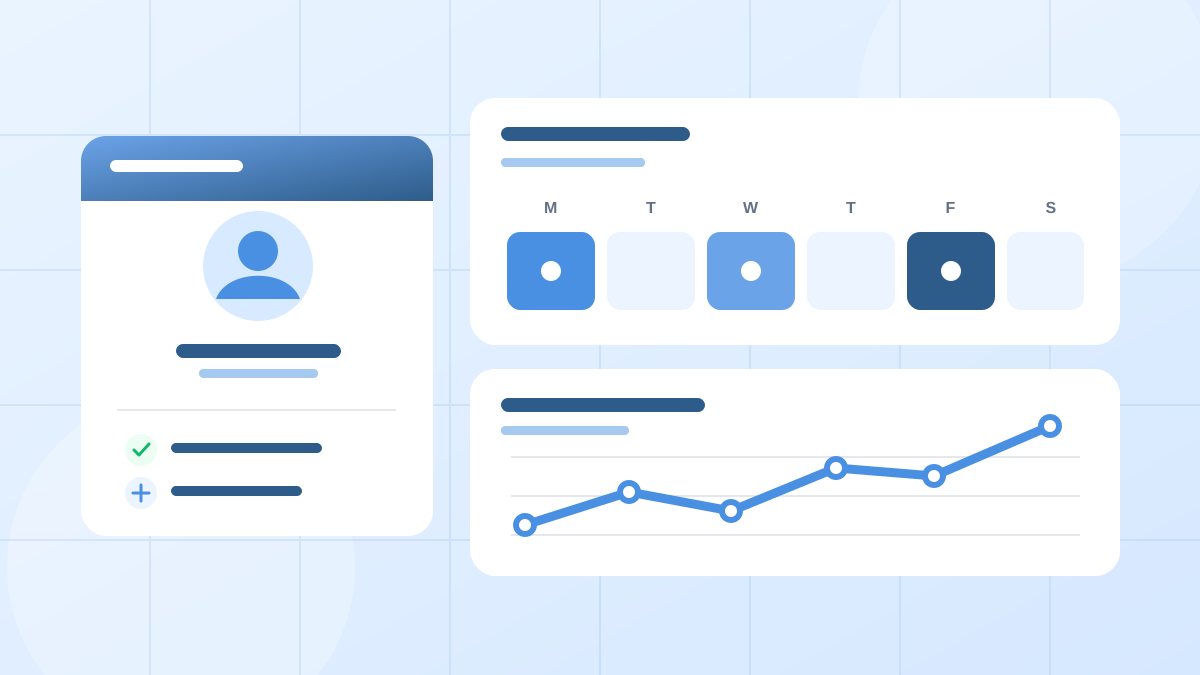
The administrative side of coaching accumulates quietly. Remembering what exercises a client did last week, tracking whether they hit their goals, knowing which clients are due for a check-in, keeping your recurring sessions from drifting out of sync - these tasks don't each take long individually, but together they eat into time that belongs with clients.
Fluentive is a straightforward scheduling and client management platform built for independent professionals and small teams - including personal trainers, life coaches, sports coaches, and tutors. It's not a bloated gym management system or an enterprise CRM with features you'll never use. It's a lightweight, practical tool that handles what coaching practices actually need: organized client records, clean session scheduling, and rich progress notes - all without a setup process or learning curve.
Below is a practical look at how Fluentive works for coaches and trainers, feature by feature.
Ten Ways Fluentive Works for Coaches & Personal Trainers
See Client Name and Session Type Directly on the Calendar
When your day includes back-to-back sessions across different clients and formats, a calendar that only shows time blocks tells you very little. Fluentive lets you configure each appointment block to display both the client's name and the session type at the same time - directly on the calendar, without opening anything. A quick glance at your day view and you know exactly who's coming in, what kind of session it is, and how long it runs.
For a trainer managing a full day of clients - some doing strength work, others rehabilitation, others their first assessment - that instant visual clarity prevents mistakes before they happen.
One Double-Click to Book a Session in the Right Slot
A new client calls while you're wrapping up a session. You need to find a free slot, agree on a time, and confirm the booking before the moment passes. Fluentive's calendar is divided into intervals that match your standard session length - 45 minutes, 60 minutes, 90 minutes, whatever your practice runs on. Any open slot is immediately visible, and a double-click on it creates a new appointment pre-filled with the correct time. No switching between screens, no typing start and end times manually, no second-guessing which block was available.
When you're coaching all day and handling your own admin between sessions, that kind of frictionless booking is what keeps the calendar accurate without consuming the gaps between clients.
Full Session History Per Client
Every session linked to a client is recorded and accessible from their profile. The complete chronological history - session dates, types, and any notes attached - is always one click away. When a client returns after a break, or when you want to review what was covered three months ago before planning the next phase of their program, everything is right there. No scanning through notebooks, no relying on memory, no asking the client what you worked on together.
For a life coach whose clients discuss goals and challenges across sessions that may be weeks apart, or a sports coach tracking an athlete's development over a season, that unbroken record is what makes continuity possible.
Custom Session Categories for Every Coaching Format
Not every session is the same, and a calendar that treats them all identically becomes hard to read quickly. A personal trainer might separate one-to-one sessions from small group training and initial assessments. A tennis coach might distinguish between private lessons, group clinics, and tournament preparation. A life coach might differentiate between discovery calls and ongoing coaching sessions. Fluentive lets you create your own session categories, each with its own color and name, so your calendar reflects the actual structure of your practice rather than a generic list of time blocks.
Recurring Sessions for Ongoing Programs
Most coaching and training relationships run on a regular rhythm - the same client, the same day, week after week. Setting up each session individually is unnecessary overhead that invites gaps. Fluentive supports recurring appointments with flexible frequency options: weekly, twice a week, bi-weekly, monthly, or custom. Define the schedule once, set the end date or total number of sessions, and the calendar fills automatically. Multi-week training blocks that would take minutes to enter manually are handled in seconds, and nothing falls out of the rhythm between cycles.
Rich, Word-Like Notes Per Session and Per Client
The notes you take during and after a session are what make the next one better. Fluentive supports large, richly formatted notes - similar to writing in a word processor - at two levels: attached to individual sessions and stored on the client's profile itself. At the session level, you can document exactly what was covered: exercises performed, weights used, technique observations, client feedback, and what to focus on next time. At the profile level, you can maintain a persistent record of the client's overall goals, health considerations, injury history, and long-term progress.
This is not a plain text field with a 500-character limit. It's a proper note-taking environment with bold text, bullet lists, headings, and the space to write with the same detail that good coaching actually requires.
Side-by-Side Schedules for Multi-Trainer Studios
When two or more coaches share a studio or training facility, coordinating their individual schedules is one of the recurring operational challenges. Which trainer has a free slot for a new client? Is the facility double-booked at any point during the day? Is one coach fully booked while another has availability? Fluentive's team calendar shows each trainer's schedule side by side on a single screen, giving studio owners and coordinators an immediate picture of capacity across the whole team without switching between individual views or making calls to check availability.
Assign Multiple Trainers to a Session
Some sessions involve more than one coach - a lead trainer and an assisting coach for a complex assessment, a co-facilitated workshop, or a group session where two trainers split the floor. Fluentive lets you assign multiple team members to a single appointment, so coordination is handled inside the calendar rather than through separate messages or shared spreadsheets. Everyone involved sees the session in their schedule, and there's no ambiguity about who is responsible for what.
Works on Mobile - Your Clients With You Everywhere
Coaches and trainers rarely work from a desk. Sessions happen at the gym, in the park, at a client's home, or over video. Fluentive can be installed on iOS and Android as a Progressive Web App, giving you your full client roster, session schedule, and progress notes on your phone at all times. Before a session starts, pull up the client's profile and review what you covered last time. After a session ends, add your notes while the details are fresh. Between clients, check who's coming in next and what their history looks like. The information you need is always accessible, wherever you're working.
No Setup or Training Required
Many coaching platforms are built around features that don't apply to independent coaches or small studios - payment processing, marketplace listings, client-facing portals, and integrations that require hours of configuration before anything useful works. Fluentive is ready to use from the moment you sign in. The interface is intuitive enough that you can add your first client, create a recurring session, and write a set of session notes within a few minutes of opening it for the first time. No onboarding calls, no tutorials to work through, no settings to configure before the tool becomes useful.
Fluentive works for solo coaches and growing training studios alike. If you're an independent personal trainer managing your own client base without administrative support, Fluentive is fast enough to handle bookings and notes between sessions. If you run a studio with multiple trainers and a shared calendar, the multi-user features, side-by-side scheduling, and role-based access keep everyone coordinated without adding overhead to your day.
Frequently Asked Questions
Can I track a client's full session history in Fluentive?
Yes. Every session is recorded against the client's profile. From the client record, you can view the complete chronological history of all sessions - dates, session types, and any notes attached to each appointment. You always have full context before a session starts, without any searching.
Does Fluentive support recurring sessions for weekly training programs?
Yes. Recurring sessions are fully supported - weekly, twice a week, bi-weekly, monthly, or custom frequencies. Set the schedule once and the calendar fills automatically. This is especially useful for personal trainers and sports coaches whose clients attend on a fixed weekly rhythm.
Can I manage both private sessions and group classes in Fluentive?
Yes. Fluentive supports multiple session categories, so you can distinguish between private coaching, semi-private pairs, group classes, and any other format you run. Each category can be color-coded so your calendar is readable at a glance.
Is Fluentive suitable for online coaching?
Yes. Whether your sessions are in-person or remote, Fluentive manages them the same way. Client profiles, session notes, and appointment history are all accessible regardless of where the session takes place. Many coaches use it to manage a mix of in-person and virtual clients from a single calendar.
Can multiple trainers use Fluentive in a studio or gym?
Yes. Fluentive supports multiple users with role-based access. In a training studio with two or more coaches, each trainer has their own calendar. The team view shows all schedules side by side, making it straightforward to coordinate shared space and avoid conflicts.
How detailed can my session notes be?
Fluentive supports large, richly formatted notes - similar to writing in a word processor - both per session and on the client's profile. You can record workout plans, progress measurements, technique observations, injury notes, and action items with proper formatting: bold text, lists, headings, and more.
Can I use Fluentive on my phone?
Yes. Fluentive can be installed as an app on iOS and Android devices. Your full client roster, session calendar, and progress notes are accessible from your phone at any time - useful whether you're on the gym floor, between outdoor sessions, or reviewing tomorrow's schedule from home.
How much does Fluentive cost?
Fluentive offers a free trial - no credit card required. Paid plans are designed to be accessible for individual coaches and small training studios. Visit the pricing page for current plan details.